Context
The COVID crisis has had dramatic consequences in all countries and governments have taken different set of measures to mitigate the crisis.
At the time of writing this article, I live in France and the government requires that people who leave their home to go to work, go out on a walk or do grocery shopping, should carry with them some sort of affidavit or self-made certificate mentioning the hour they left their place as well as the reason for leaving their house.
This certificate can be hand written or obtained by filling a form online. Not complying to this rule can lead to a fine of 135 euros.
I don’t want to pay such a fine but I’d also like to avoid spending 15 minutes hand writing a certificate each time I need to do grocery shopping. My only option then is to fill the form on the government website to get a certificate. I don’t want to provide anyone with that kind of informations though. I don’t want anyone to know at what time I leave my place or for what reason.

Fortunately, the form is used to generate a PDF certificate and works entirely locally on the client which means that it does not send any information to a distant server. Trust me, I checked, there are no server calls happening.

The bad news however is that the form is quite long to fill…
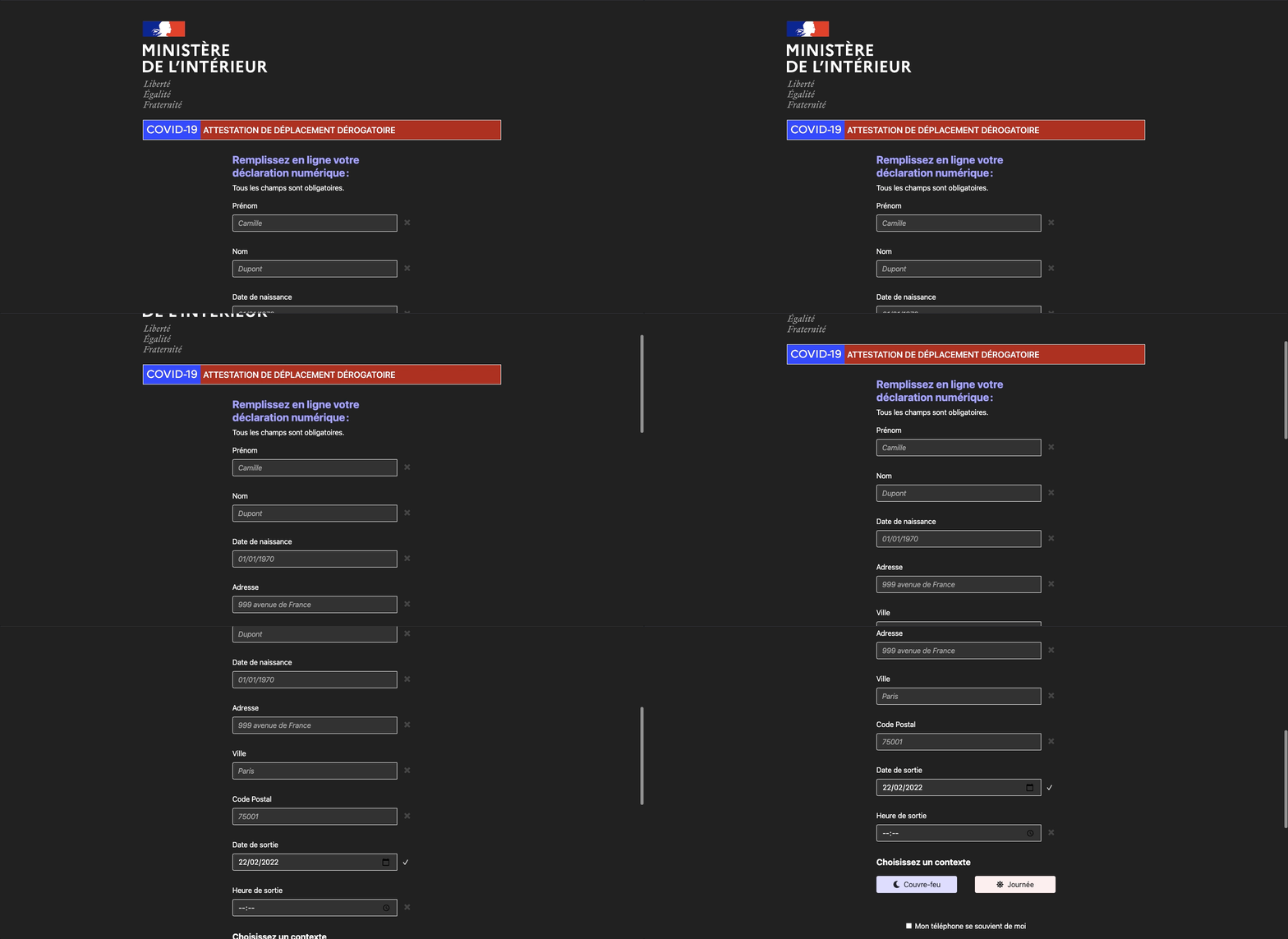
Since I am a programmer, I am oftentimes lazy so I decided to use some ruby magic to automate the form filling.
Code
To perform browser automation with ruby I use Watir which is a fantastic library based on Selenium.
In my terminal I’ve started with a simple
gem install watir
gem install webdrivers
watir is the automation library per se and webdrivers is a gem I used to automatically install and update the last version of the webdrivers (i.e. the binaries of the browsers that are used by the automated script to perform the operations).
Once this was done, I’ve created a file Covid.rb and added require statements with my newly added gems before starting to write any logic.
require 'watir'
require 'webdrivers'
My newly installed gems now being accessible from my code, I was able to start working on the actual logic. Since I wanted this script to work for me as well as for other people I’ve started by creating a Person class which would contain the specific informations required in the form:
class Person
  attr_reader :first_name, :last_name, :birth_place, :birthday

  def initialize(first_name, last_name, birthday, birth_place)
    @first_name = first_name
    @last_name = last_name
    @birthday = birthday
    @birth_place = birth_place
  end
end
With that out of the way I would be able to provide a person object to my generator which would fill the form with the relevant information.
I then created a class which was in charge of the actual form interaction. The code is pretty straightforward and the Watir API is super clear ! It took me 15 minutes to find my way through the documentation and find the right methods to select each field. The code ended up looking something like this:
class CovidFormFiller
  GENERATOR_URL = "https://media.interieur.gouv.fr/deplacement-covid-19/"

  def initialize(person, address, zip_code, city, datetime: Time.now, reason: 'groceries')
    @person = person
    @address = address
    @zip_code = zip_code
    @city = city
    @datetime = datetime
    @reason = reason
  end

  def perform
    browser_instance = Watir::Browser.new

    browser_instance.goto(GENERATOR_URL)
    browser_instance.text_field(id: 'field-firstname').set(@person.first_name)
    browser_instance.text_field(id: 'field-lastname').set(@person.last_name)
    browser_instance.text_field(id: 'field-birthday').set(@person.birthday.strftime("%d/%m/%Y"))
    browser_instance.text_field(id: 'field-placeofbirth').set(@person.birth_place)
    browser_instance.text_field(id: 'field-address').set(@address)
    browser_instance.text_field(id: 'field-city').set(@city)
    browser_instance.text_field(id: 'field-zipcode').set(@zip_code)
    browser_instance.date_field(id: 'field-datesortie').set(@datetime)
    browser_instance.text_field(id: 'field-heuresortie').set(@datetime.strftime("%H:%M"))

    if @reason == "groceries"
      browser_instance.checkbox(id: "checkbox-achats").set
    else
      browser_instance.checkbox(id: "checkbox-sport_animaux").set
    end

    browser_instance.button(xpath: '//*[@id="generate-btn"]').click
  end
end
As you can see in the above code, some of the elements are filled with attributes presents on the @person object which will be an instance of the previously created Person class. Other informations such as address, city or zipcode could have also been located on the persons objects but in my case they were shared by all the persons covered by my script so I did not need them as a person’s attributes.
The only remaining thing to do is to create instances of the Person and CovidFormFiller classes and let the script do its magic.
The code final code looks like this:
class Person
  attr_reader :first_name, :last_name, :birth_place, :birthday

  def initialize(first_name, last_name, birthday, birth_place)
    @first_name = first_name
    @last_name = last_name
    @birthday = birthday
    @birth_place = birth_place
  end
end

class CovidFormFiller
  GENERATOR_URL = "https://media.interieur.gouv.fr/deplacement-covid-19/"

  def initialize(person, address, zip_code, city, datetime: Time.now, reason: 'groceries')
    @person = person
    @address = address
    @zip_code = zip_code
    @city = city
    @datetime = datetime
    @reason = reason
  end

  def perform
    browser_instance = Watir::Browser.new

    browser_instance.goto(GENERATOR_URL)
    browser_instance.text_field(id: 'field-firstname').set(@person.first_name)
    browser_instance.text_field(id: 'field-lastname').set(@person.last_name)
    browser_instance.text_field(id: 'field-birthday').set(@person.birthday.strftime("%d/%m/%Y"))
    browser_instance.text_field(id: 'field-placeofbirth').set(@person.birth_place)
    browser_instance.text_field(id: 'field-address').set(@address)
    browser_instance.text_field(id: 'field-city').set(@city)
    browser_instance.text_field(id: 'field-zipcode').set(@zip_code)
    browser_instance.date_field(id: 'field-datesortie').set(@datetime)
    browser_instance.text_field(id: 'field-heuresortie').set(@datetime.strftime("%H:%M"))

    if @reason == "groceries"
      browser_instance.checkbox(id: "checkbox-achats").set
    else
      browser_instance.checkbox(id: "checkbox-sport_animaux").set
    end

    browser_instance.button(xpath: '//*[@id="generate-btn"]').click
  end
end

persons = [
  john_doe = Person.new("John", "Doe", Date.new(1900, 1, 1), "Somewhere"),
  jane_doe = Person.new("Jane", "Doe", Date.new(1900, 1, 1), "Somewhere else")
]

persons.each do |person|
  CovidFormFiller.new(person, "Some address", "Some zip code", "Some city", reason: 'other').perform
end
The script runs in a few seconds and automatically downloads the PDF certificates needed.
Automating this kind of boring tasks is always very satisfying.